Page updated: 24 March 2026
Blending Modes - Examples of Typical Uses
Common uses of Photoshop Blending Modes
This page is about example uses of Blending Modes.
For an introduction to Blending Modes and examples of what each blend mode does, please see Blending Modes - A Complete Guide
There are many blend modes and each has a different effect, which also depends on what you are blending with what, so it’s impossible to know or remember all options. A large part of using blend modes is to experiment, but it helps if you have an understanding of the some of main blend modes.
Below are linds to examples of common uses of different Blend Modes, with step by step instuctions.
ON THIS PAGE
Add colour to black & white photos
Using Overlay, Soft Light, Hard Light, or Color Blend Mode. See the tutorial here
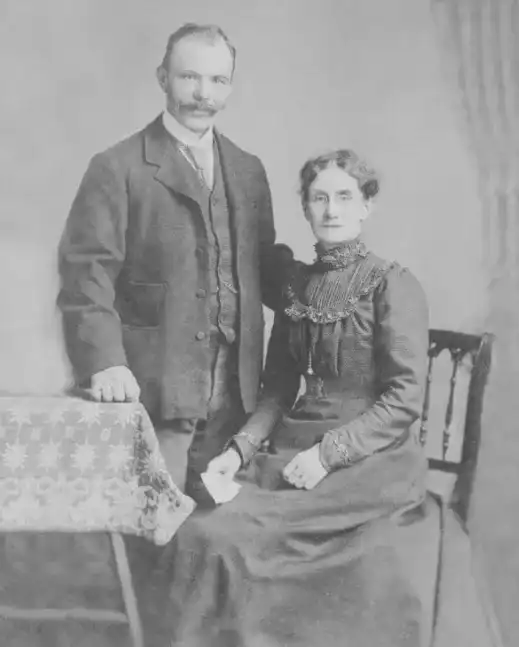
The original black & white photo
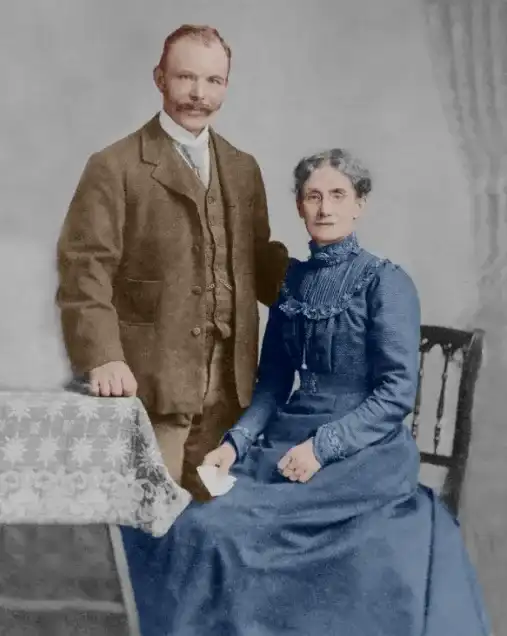
The finished image after coloring
Create an Artistic Sketch
Using Divide Blending Mode. See the tutorial here
See the Divide Blend Mode Sketch Tutorial to create a hand sketch, or painting effect with the Divide Blending Mode.

Original photo
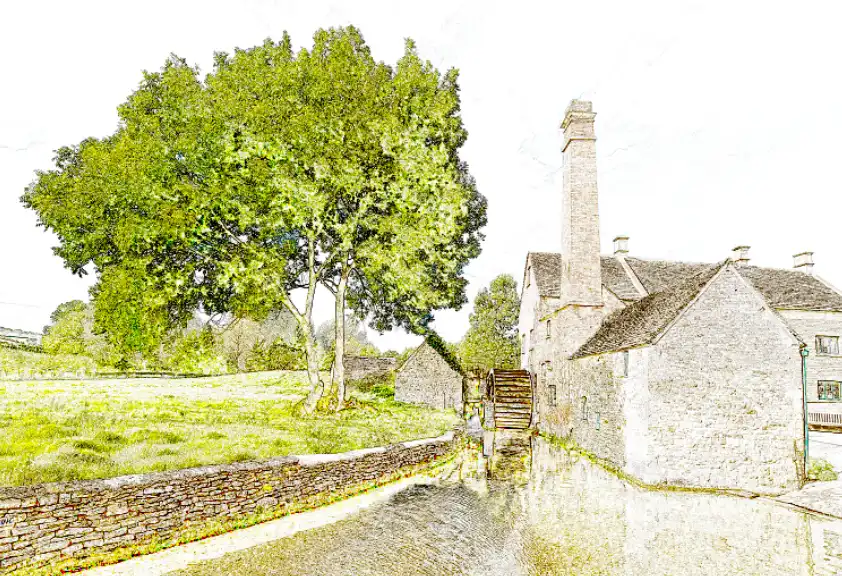
Hand sketch effect with Divide Blend Mode
More Blending Mode examples will be added.
Happy editing!